SMS appointment reminders for small business — stop texting every client by hand
Answer first: if you are still copying appointment times into your phone one client at a time, you are paying twice — your time on every booking, and empty chairs when someone forgets. Automated SMS appointment reminders send confirm-at-booking plus timed nudges before each slot, with one-tap reschedule links, so reminders run whether you are on the floor or off the clock.
Why manual reminder texts break down fast
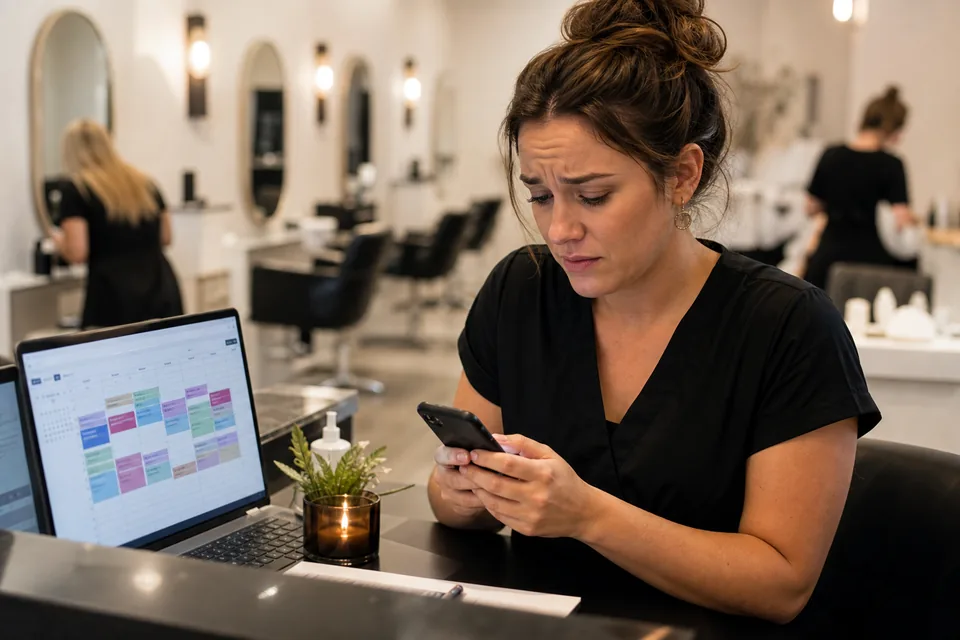
Manual reminders feel cheap until you count the hours. Twenty appointments a week means twenty copy-paste texts — plus the ones you forget at 9pm, the wrong numbers, and the clients who no-show anyway because your message had no confirm or reschedule link. That is how 10–20% no-show rates become normal for salons, clinics, and trades — not because clients are flaky, but because reminders are inconsistent. Our no-show cost calculator turns that percentage into real dollars; most owners are surprised.
The pain is not "I need another app." It is revenue you already booked walking out the door while you are busy doing the actual work. For the full no-show playbook — timing, deposits, waitlists — see our guides on reducing appointment no-shows with SMS reminders and salon no-show tactics.
What actually works (before you pick software)
Timing beats one mega-blast: confirmation right after booking, a message 24–48 hours before, and a final nudge 2–4 hours before the slot. Friction beats clever copy — include a direct confirm or reschedule link on mobile, not "call us to move it." Two-way routing matters: when someone replies "can we do Thursday instead?", someone (or your inbox automation) needs to answer. Standalone reminder landing pages rarely show this operational layer — they stop at "set and forget."
We test these sequences on live accounts before recommending them. The no-show SMS reminder guide walks through the exact three-touch timing that cuts empty chairs 30–50% from your starting rate. For workflow trigger wiring and calendar sync details, see appointment reminder automation.
Standalone reminder tools vs all-in-one CRM
Dedicated apps — Appointment Reminder, GoReminders, Apptoto — do one job well: blast reminders from your calendar. They often charge $30–$100/month for SMS sequences, sometimes plus per-message fees. Square Appointments bundles reminders if you already book through Square. Good fit when reminders are your only automation need and your calendar already lives there.
An all-in-one CRM makes sense when you also run missed-call text-back, review requests, or online booking — one inbox, one number, one A2P registration. That is why we build reminders inside GoHighLevel on client accounts: calendar trigger, SMS workflow, and reply routing without a second subscription.
Build SMS appointment reminders in GoHighLevel
This is the same stack we configure for no-show reduction — tested on live sub-accounts, not a marketing screenshot:
- Connect your calendar. Use GHL's calendar or sync Google/Outlook so every booked appointment fires a workflow with client name, time, and mobile number.
- Booking confirmation SMS. Send immediately: date, time, location or video link, plus "Reply C to confirm or tap to reschedule: [link]."
- 24-hour reminder. Trigger: appointment start minus 24 hours. Short, named, one link — "Hi [name], reminder for tomorrow at [time]. Confirm or reschedule: [link]."
- 2-hour final nudge. "See you in 2 hours at [address]. Need to move it? [link]." Two SMS touches per appointment is the sweet spot; more feels like spam.
- Route replies to the inbox. Confirmations and reschedule requests land in one place; assign staff or offer alternate slots from the calendar.
- Quiet hours and STOP. No texts before 8am or after 9pm local; honor opt-out automatically — both are settings, both are legally required.
A2P 10DLC — why reminders silently fail without it
US carriers require A2P 10DLC registration before business SMS delivers reliably. Unregistered numbers often work in testing then get filtered in production — the same failure mode in our business texting troubleshooting guide. Register your brand and appointment-reminder campaign in Settings → Phone Numbers → Compliance before you turn the workflow on. Approval typically takes a few business days.
Full walkthrough: A2P 10DLC registration for small business. Legal consent basics: how to send SMS to customers legally. Email-only reminders can go live sooner if you need coverage before SMS is approved.
Real cost: subscription plus per-message fees
Competitor pages hide usage math. Here is what we see on accounts we manage:
- GoHighLevel Starter ($97/month): reminder workflows included; SMS at roughly $0.0083 per segment. Two reminders per appointment ≈ two segments — at 80 appointments/month that is about $1.33/month in SMS usage.
- Standalone reminder SaaS: often $30–$100/month before SMS overages — fine if you need nothing else, expensive if you already pay for CRM or booking.
- Square Appointments: reminders bundled with booking; check your plan for SMS limits in your region.
Use our SMS cost calculator for your volume. Plan comparison: GoHighLevel review.
What to expect in week one
Day 1–2: connect calendar, draft message templates, submit A2P registration. Day 3–5: carrier approval (varies), send test reminders to your own phone, verify links and quiet hours. Day 6–7: turn workflows on for live bookings and watch the inbox for reschedule replies.
Across accounts we configure, a working two-touch SMS sequence often cuts no-shows by 30–50% from the starting rate — not to zero. Measure monthly: missed appointments divided by total booked slots. If you are above 15% consistently, reminders usually move the needle before deposits — details in reduce appointment no-shows with SMS reminders.
When automated SMS reminders are the wrong move
Skip or delay automation if you book fewer than ~20 appointments a month — a personal call may feel more appropriate. Do not automate if nobody monitors the inbox — a reminder followed by silence when they reply hurts trust. If your clientele rarely uses SMS, email-only reminders still help at lower tap rates. High-touch consults where every message must be bespoke need human confirmation, not a bot sequence. And if texts are not delivering at all, fix A2P registration before you blame the reminder copy.
Common questions
How much do SMS appointment reminders cost for a small business?
Standalone reminder apps often run $30–$100/month for basic sequences. All-in-one platforms like GoHighLevel include reminder workflows on the $97/month Starter plan, with SMS usage around $0.0083 per segment — roughly $1–3/month for a typical appointment volume, not another subscription.
Do I need permission to send appointment reminder texts?
Yes. In the US, business SMS requires express consent and A2P 10DLC registration. Customers who booked and gave a mobile number for appointment updates generally qualify — but your booking flow should state that reminder texts will be sent, and every message needs a clear opt-out (Reply STOP).
How many reminder texts should a small business send?
Most service businesses see the best results with three touches: confirmation immediately after booking, a reminder 24–48 hours before, and a final nudge 2–4 hours before the slot. More than two SMS reminders per appointment starts to feel like spam.
What should an appointment reminder text say?
Keep it short and actionable: client name, business name, date/time, and one action — "Reply C to confirm or tap to reschedule: [link]." Under 160 characters when possible so it stays one segment.
Can I use my personal cell phone for appointment reminders?
Not for production volume. Personal numbers lack A2P 10DLC registration, get filtered by carriers, and mix business with personal texts. Use a registered business number inside your CRM or a dedicated reminder platform before you automate.
Get automated reminders live this week
See the leak first: run your numbers through our appointment no-show cost calculator — then decide if reminders pay for themselves (they usually do after one saved slot).
Go deeper on no-shows: the SMS no-show reminder guide covers timing, deposits, and honest rate expectations — this page is the setup path; that one is the outcome playbook.
Do it yourself: start a GoHighLevel 14-day trial, connect your calendar, register A2P on day one, and publish the 24h + 2h workflow above — most owners are live within a week including carrier approval.
Have us do it: calendar setup, compliant SMS, reminder workflows, reschedule links, quiet hours, and inbox routing — part of our done-for-you GoHighLevel setup.
Get the GHL Setup Checklist — free
The exact checklist we run for paying setup clients: 27 steps from empty account to booked appointments, including the A2P compliance items everyone forgets. Drop your email and read it right away.
No spam, no sequence-of-doom. We only email when we publish something worth your time. Privacy policy.