Online booking for small business (setup that cuts phone tag)
Answer first: online booking lets clients self-schedule 24/7, ends the "what times work for you?" DM loop, and pairs with SMS reminders to reduce no-shows — as long as the calendar syncs to your real availability and you embed the link where leads already look.
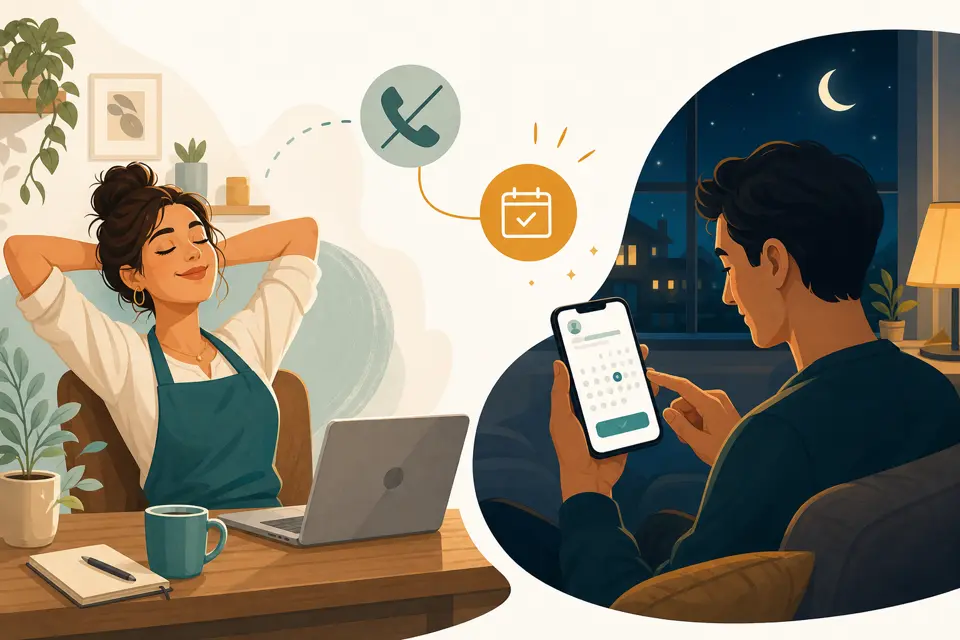
Why phone-only booking costs you jobs
Every "Tuesday at 2 or Thursday at 4?" thread is time you are not billing — and every hour you wait to reply is a slot someone else fills. Phone-only booking fails in three predictable ways:
- Speed. Leads compare-shop while they wait. The business with a book-now button wins; the one playing phone tag gets ghosted.
- After hours. Most booking intent happens outside 9–5 — evenings, weekends, lunch breaks. If scheduling requires a call back, you lose the ones who needed you now.
- Double entry. You write it in a paper book, then forget to block Google Calendar, then apologize when two clients show at once. Trust dies faster than revenue.
If your phone rarely rings, this may not be your first fix — start with missed-call text-back or speed-to-lead instead. But if you live in DMs negotiating times, online booking is the highest-leverage calendar change you can make.
What clients expect from online booking
They are not asking for enterprise software. They want four things:
- See real availability — not "we'll confirm by email."
- Book in under a minute on mobile, without creating an account.
- Get instant confirmation by text or email with date, time, and address.
- Reschedule without calling — a link beats leaving a voicemail.
Miss any of these and they fall back to calling your competitor who has a Calendly link in the bio. The bar is low; most local competitors still fail it.
Set up online booking in GoHighLevel
We demo this on GoHighLevel because the calendar, SMS confirmations, reminder workflows, and website embed are one platform on the $97/month Starter plan — no gluing Calendly to Mailchimp to a reminder app. The build we run on live accounts:
- Create a calendar per service (or staff member). Set appointment length, buffers, minimum notice ("no same-day"), and weekly hours. Connect Google Calendar or Outlook for two-way sync so personal blocks hide open slots automatically.
- Generate booking links. Each calendar gets a shareable URL. Use one link per service if durations differ — "60-min consult" vs "30-min follow-up" — so clients never pick the wrong slot type.
- Embed on your site. GHL gives an iframe or widget code. Drop it on your contact page, service pages, and confirmation pages from funnels. Replace "call to schedule" buttons with "Book now" — same calendar, zero phone tag. If your site is a GHL funnel, add a calendar step; if it is WordPress or static HTML, paste the embed snippet once.
- Wire confirmation SMS + email. On booking: instant confirmation with business name, date/time, and address. This is where clients decide you are organized — or not.
- Add reminder workflows. Trigger 24 hours and 2 hours before the appointment with a one-tap confirm or reschedule link. Full build in our SMS reminders guide — booking fills the calendar; reminders protect the slot.
- Optional: deposits for high no-show segments. Stripe connect on GHL lets you collect a card hold or prepayment at booking. Not every business needs it; salons and med spas often do. Run the numbers on our no-show cost calculator before you decide.
Connect reminders and review requests
Online booking is half the system. The other half is what happens after they click "Confirm":
- Reminders — 24h + 2h SMS with confirm/reschedule links cut no-shows sharply when messages are short and A2P-registered. See how to reduce no-shows with SMS reminders and A2P 10DLC registration before you turn texts on.
- Review requests — after the job, a timed SMS with your Google review link beats asking in person. Workflow in our Google reviews guide.
- Missed-call safety net — booking links in your text-back and speed-to-lead flows catch leads who never visit your website.
Same platform, same afternoon — booking, reminders, and review asks share one contact record instead of three spreadsheets.
What it actually costs
On GoHighLevel the booking calendar, embed, workflows, and CRM are included in the $97/month Starter plan. Usage on top:
- SMS: ~$0.0083 per segment — a confirmation plus two reminders on 80 appointments/month runs about $2–4/month in message fees.
- Phone number: ~$1.15/month if you want a dedicated line for booking confirmations (optional if you use email only).
- Payments/deposits: standard Stripe card fees; no extra GHL tier for basic checkout at booking.
Standalone schedulers (Calendly, Acuity, Setmore) charge $10–$45/month for features GHL bundles, then charge again for SMS reminders or review automation elsewhere. Full pricing context is in our GoHighLevel review.
When online booking is overkill
Skip it (or keep it minimal) if:
- You book fewer than ~15 appointments a month — a personal call may be faster than setup.
- Every job is a custom quote site visit with no standard duration — booking works better once service types and lengths are predictable.
- Nobody monitors confirmations or reschedules — a calendar that nobody reads creates no-shows with extra steps.
- Your clients are mostly corporate buyers who require purchase orders — they will never self-serve on a widget.
Same honesty as our reviews: when empty chairs hurt more than slow scheduling, fix no-shows first and measure the damage with the no-show calculator.
Common questions
Do I need a separate booking app if I already use GoHighLevel?
No. GoHighLevel includes calendars, booking links, website embeds, reminder workflows, and payments on the $97/month Starter plan. Standalone schedulers like Calendly or Acuity add another subscription and usually do not send SMS reminders or post-booking review requests unless you glue tools together.
Can customers book outside my business hours?
Yes — that is the point. Online booking runs 24/7 while you sleep, drive, or serve another client. You set availability windows, buffers between appointments, and blocked days; the calendar only offers real open slots synced to your schedule.
Will online booking sync with Google Calendar or Outlook?
GoHighLevel calendars sync two-way with Google Calendar and Outlook on paid plans. Block time on your personal calendar and those slots disappear from the public booking page — which prevents the double-book disaster that kills trust in DIY setups.
Do I still need SMS reminders if I have online booking?
Yes. Booking fills the calendar; reminders make people show up. Clients forget — they are not malicious. Pair online booking with 24-hour and 2-hour SMS reminders (and optional deposits for chronic no-shows) to protect revenue. See our no-show guide for the workflow build.
How much does online booking cost on GoHighLevel?
The calendar, booking links, website embed, and automation builder are included in the $97/month Starter plan. Usage adds roughly $0.0083 per SMS segment for reminders and ~$1.15/month if you buy a dedicated tracking number. Optional Stripe payments for deposits add standard card fees — no extra GHL subscription tier required for basic booking.
Put booking on autopilot this week
Do it yourself: start a GoHighLevel 14-day trial, connect your calendar, publish a booking link, and embed it on your contact page — then wire the reminder workflow from our no-show guide. Start A2P registration on day one so SMS confirmations deliver when you go live.
Have us do it: calendar sync, booking embed, confirmation texts, reminder sequences, and review follow-up — tested with a real booking — part of every done-for-you setup. Not sure what empty slots cost you? Run the no-show cost calculator first.
Get the GHL Setup Checklist — free
The exact checklist we run for paying setup clients: 27 steps from empty account to booked appointments, including the A2P compliance items everyone forgets. Drop your email and read it right away.
No spam, no sequence-of-doom. We only email when we publish something worth your time. Privacy policy.