How to reduce salon no-shows (without turning clients away)
Answer first: salon no-shows are rarely malicious — clients forget, double-book, or assume a text cancel is enough. The fix is a stack: clear cancellation policy, deposits on high-ticket color blocks, self-serve rescheduling, and SMS reminders at booking, 24 hours, and 2 hours out. Together they typically cut no-shows by a third or more without feeling punitive.
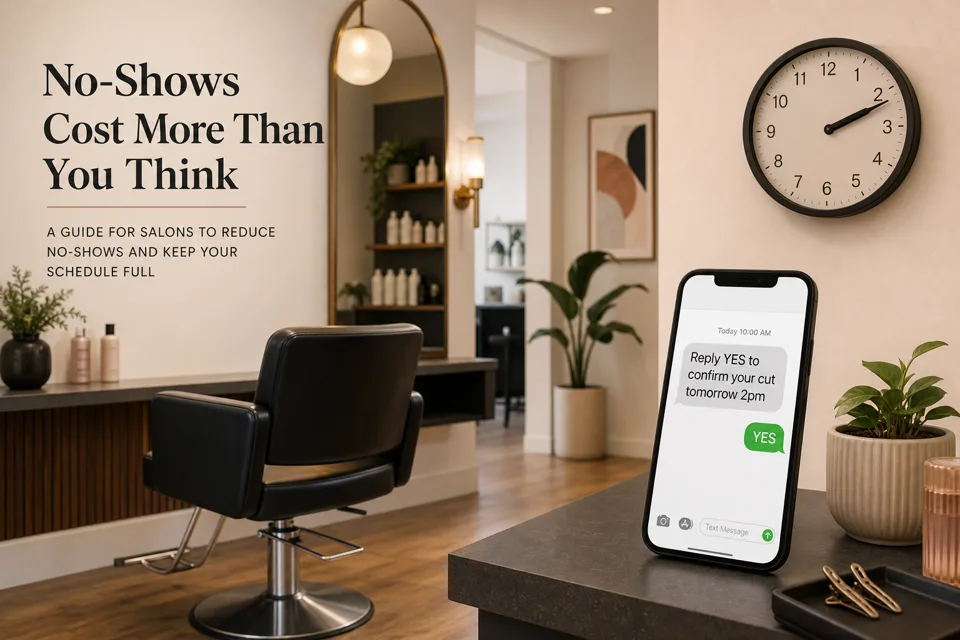
Why an empty chair costs salons more than a missed haircut
A no-show at a salon is not one lost ticket — it is a block of chair time you cannot sell twice. A 90-minute color and cut at $140, three no-shows a week, is roughly $1,800/month in lost revenue before you count the assistant's hourly pay and the product mixed for a client who never arrived. Run your own numbers in our no-show cost calculator.
Salons also feel no-shows unevenly: Saturday mornings, color specialists, and new-client slots hurt most because backfilling a two-hour block from a waitlist rarely works the way it does for a 30-minute men's cut. That is why salon owners need tactics beyond "send a reminder the night before" — and why the order you add them matters.
Five salon moves that work before you buy anything
- Write the policy where clients already look. Post cancellation terms on your booking page, confirmation email, and front-desk signage: how far out they can cancel free, what happens inside 24 hours, and whether card-on-file applies. Ambiguity is what breeds "I thought it was fine."
- Deposits on high-leak services, not every blowout. Color, extensions, keratin, and multi-hour transformations are where one ghosted appointment destroys the day. A 25–50% deposit at booking (or card capture with a no-show fee) on those services only — not on every $35 trim — keeps trust while protecting margin.
- Let clients reschedule themselves. Phone-tag reschedules are how forgotten appointments stay on the books. Online booking with one-tap reschedule drops no-shows because the client who cannot make it moves the slot instead of silently skipping. Industry surveys often find online bookers no-show less than phone-booked clients.
- Run a real waitlist for prime slots. When someone cancels inside your window, text the waitlist before you accept the loss. Salons that backfill even one Saturday color per month recover thousands annually.
- Confirm at booking, not only the day before. Immediate confirmation ("You're booked with Jamie Thursday at 2pm — reply YES to confirm") catches wrong numbers and mistaken dates while the client still has the appointment top of mind.
SMS reminders — salon wording that gets replies
The reminder sequence itself is the same for any appointment business: confirm at booking, 24-hour reminder, 2-hour reminder, each with a one-tap confirm or reschedule link. We document the full automation build — triggers, quiet hours, opt-out handling — in our SMS reminder automation guide. Salons should customize the copy:
- Name the stylist. "Your color with Jamie" beats "your appointment" — clients remember the person, not the slot ID.
- Name the service and duration. "Balayage (approx. 2.5 hrs)" sets expectations and reduces "I only had 30 minutes" disputes.
- One action per text. Reply YES, or tap the reschedule link — not both plus a marketing pitch.
- Respect quiet hours. A 2-hour reminder at 6am for an 8am opening slot is fine; at 10pm for a next-day noon appointment, schedule it for morning.
Build no-show protection in GoHighLevel for your salon
We wire this on GoHighLevel because calendar, SMS workflows, deposits, and the unified inbox share one platform on the $97/month plan — but the pattern maps to any booking system from our reviews:
- Calendar with real service durations. Create appointment types for cut, color, balayage, etc. with accurate block lengths so double-booking and unrealistic slots do not cause their own no-shows.
- Booking link on site, Instagram bio, and confirmation texts. Self-serve booking is the intake; reminders are the follow-through.
- Deposit workflow for selected services. Trigger payment or card capture when someone books color, extensions, or any service over your threshold. GHL Payments handles this on the same calendar event.
- Reminder workflow: confirm + 24h + 2h. Trigger on appointment booked → immediate confirm SMS; 24 hours before → reminder with reschedule link; 2 hours before → short nudge. Stop the sequence when they confirm or reschedule.
- Waitlist tag + blast. Tag contacts who want Saturday color openings. When a cancellation fires, workflow texts the tag: "A slot opened Saturday 10am — want it?"
- Route replies to the front desk. "Running late" and "need to move it" land in the GHL inbox with push notifications — someone must see them.
A2P 10DLC — why salon reminder texts fail silently
US carriers require business SMS registration before appointment reminders deliver reliably. Unregistered numbers often work in testing, then get filtered in production — which is why "reminders worked for a week then stopped" is almost always compliance, not client fatigue. Register brand and campaign before you turn the workflow on; approval takes a few business days. Step-by-step is in our A2P 10DLC registration guide.
What it costs to run in a busy salon
On GoHighLevel the automation is included in the $97/month Starter plan. SMS adds about $0.0083 per segment plus roughly $1.15/month for the number.
A salon with 120 appointments a month, three texts each (confirm + 24h + 2h), is roughly 360 segments — about $3/month in SMS usage. Compare that to one recovered color appointment. Full platform context is in our GoHighLevel review.
What to expect in week one
Honest timeline from setups we run on live accounts:
- Days 1–3: A2P registration submitted; calendar and booking link live; policy posted on the booking page.
- Days 3–5: Carrier approval lands; reminder workflow switched on for new bookings first, then backfilled for existing appointments.
- Week 2 onward: Measure no-show rate weekly. Most salons see the first meaningful drop within two booking cycles — not zero no-shows, but fewer empty color blocks and more waitlist fills.
After the appointment, the same SMS stack can ask for a Google review — one compliant channel for reminders and reputation.
When reminders alone are not enough
Skip heavy automation if you book fewer than ~20 appointments a month — a personal text may suffice. Do not add deposits on every service if your clientele is price-sensitive and no-shows are already under 10%. If nobody monitors the inbox, automated reminders that clients reply to — and nobody answers — hurt trust faster than silence.
And if no-shows cluster on one stylist or one day, fix scheduling and policy before buying more software. The calculator helps you decide whether the leak is big enough to automate.
Common questions
What is a normal no-show rate for a salon?
Many salons land around 10–20% of booked appointments. Color and extension blocks often see higher rates on prime Saturday slots. Above 15% consistently, reminders plus easy rescheduling usually help before you need stricter deposit policies.
Should salons charge a fee for no-shows?
A written cancellation policy — with card-on-file or deposit for high-ticket services — is standard in busy salons. Start with reminders and one-tap reschedule; add deposits for color, extensions, and multi-hour blocks where one empty chair costs the most.
Do SMS reminders work for salon appointments?
Yes — when they include the stylist name, service, time, and a confirm or reschedule link. Industry data often shows 30–50% fewer no-shows from confirmation plus 24-hour and 2-hour texts. See our SMS reminder automation guide for the full sequence.
How much can online booking reduce salon no-shows?
Clients who book themselves online are often less likely to no-show than phone-booked appointments, because they chose the slot and get automatic confirmations. Pair self-serve booking with SMS reminders for the biggest lift.
What should a salon reminder text say?
Keep it under 160 characters: business name, service, date/time, stylist if assigned, and one action — "Reply YES to confirm or tap to reschedule: [link]". Send at booking confirmation, 24 hours before, and 2 hours before.
Protect your chair time this week
Do it yourself: start a GoHighLevel trial, submit A2P registration on day one, and wire the confirm + 24h + 2h sequence from our SMS reminder guide — add deposits on color services before you turn reminders on for every booking type.
Have us do it: calendar, deposits, reminder workflows, waitlist, and inbox routing — tested with real bookings — is part of every done-for-you setup.
Get the GHL Setup Checklist — free
The exact checklist we run for paying setup clients: 27 steps from empty account to booked appointments, including the A2P compliance items everyone forgets. Drop your email and read it right away.
No spam, no sequence-of-doom. We only email when we publish something worth your time. Privacy policy.