After-hours answering service alternative for small business
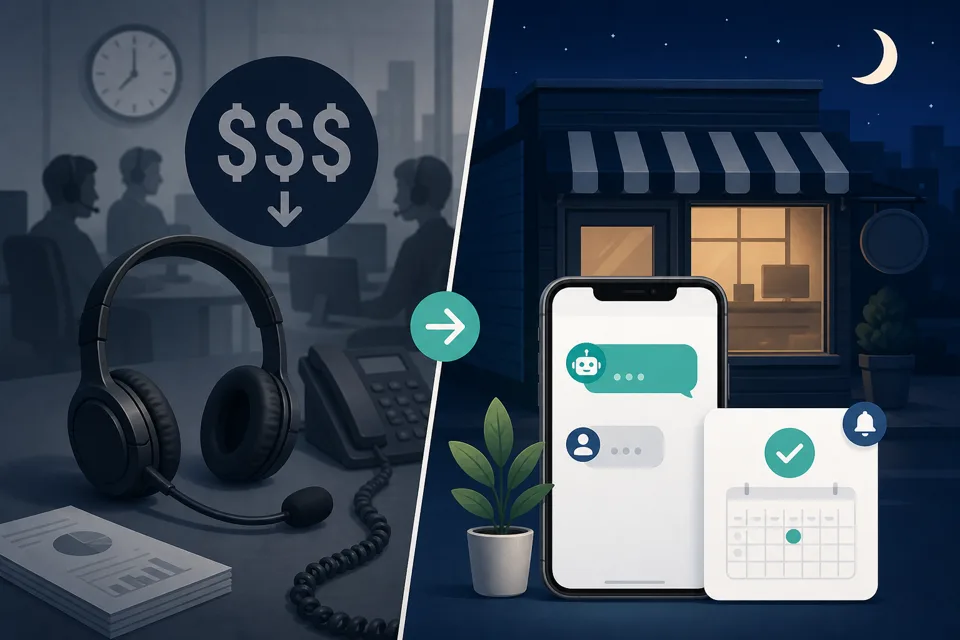
Answer first: a live after-hours answering service puts a real person on your line 24/7 — but most small businesses pay $200–$500/month before per-minute overages, and the receptionist still can't book into your calendar unless you pay extra. GoHighLevel automation — missed-call text-back, form auto-SMS, web chat, and optional AI — covers the same after-hours gap for a fraction of the cost if your leads mostly need a fast reply and a booking link, not a human concierge.
What live answering services actually sell you
Every "best answering service" roundup lists the same pitch: a trained receptionist answers when you can't — takes messages, screens spam, transfers urgent calls to your on-call phone. For a plumber at 11pm or a dentist on Saturday, that sounds like exactly what you need.
What the landing pages bury is the pricing model. Most services quote a low entry number ("from $25/month") and then bill in minute bundles with steep overages. Forbes Advisor's 2026 roundup lists AnswerConnect at 200 minutes for $350/month and AnswerForce at a similar tier — before setup fees, holiday surcharges, or bilingual add-ons. ReceptionHQ advertises after-hours coverage "from $25/month" but that's a per-plan teaser; real small-business usage typically lands in the $200–$500/month band once you account for call volume.
You're paying for a human on every ring — including wrong numbers, robocalls, and "what are your hours?" questions a two-line SMS could answer.
The hidden costs nobody puts in the comparison table
- Per-minute overages. Hit your bundle cap and each extra minute costs $1–$2. A busy weekend can double the bill.
- Setup and script fees. One-time onboarding ($50–$200) plus rewrites every time you change services or pricing.
- Calendar booking is extra. Many services take a message and email you. Booking into your actual calendar — the thing that closes the lead — often means a higher tier or a separate integration fee.
- No SMS compliance layer. If the service texts callers on your behalf, your brand still needs A2P 10DLC registration for US business texting. Most answering-service guides never mention this; we cover it in our A2P 10DLC guide.
What most after-hours leads actually need
Strip the emotion out of "someone has to answer my phone" and the pattern is simpler than the sales pitch suggests. After-hours leads usually want one of three things:
- Confirmation you got their message — so they stop calling competitors.
- A booking link or next step — so the job is on your calendar before morning.
- Urgent escalation — burst pipe, locked out, medical-adjacent emergency — which does need a human transfer path.
Items 1 and 2 are automation problems. Item 3 is where a live answering service (or an on-call owner) still earns its keep. Most local service businesses we work with are losing money on 1 and 2 while overpaying for a human to handle all three identically.
For the full after-hours response playbook — form fills, chat, and the minimum viable stack before AI — see our companion guide on after-hours lead response.
The GoHighLevel alternative: SMS, chat, and optional AI
We run after-hours coverage on GoHighLevel because the phone number, SMS, web chat, booking calendar, and workflows live on one $97/month Starter plan — the same platform we test in our main review. The stack, from cheapest to most capable:
Layer 1 — Missed-call text-back (calls)
When a call rings out after hours, an SMS fires in seconds: "Sorry we missed you — how can we help, or grab a time here: [link]". Full build in our missed-call text-back guide. This alone wins back 10–30% of missed callers — often enough to justify the platform.
Layer 2 — Form and chat auto-reply (web leads)
Website form at 9pm? Workflow sends instant SMS + email: got it, one qualifying question, booking link. Chat widget on the site catches the same pattern. Same speed-to-lead logic as our five-minute window guide — the lead gets a human-feeling reply while you're asleep.
Layer 3 — Conversation AI (optional, after-hours only)
When volume justifies it, Conversation AI handles back-and-forth SMS and chat — answers hours, services, pricing ranges, and books into your calendar. We tested this on a live account; verdict and add-on costs are in Can AI answer your leads after hours? Start in suggest-mode for a week, then enable replies only outside business hours.
Layer 4 — Voice AI (optional, calls only)
If missed-call text-back leaves money on the table — callers who won't read SMS — Voice AI answers the line with a spoken conversation and can book appointments. Billed per-minute on top of your plan; we recommend trialing it after close only, not 24/7. Same guide covers when voice beats text.
Real cost: answering service vs GoHighLevel stack
| Approach | Typical monthly cost | Books into your calendar? | After-hours SMS compliance |
|---|---|---|---|
| Live answering service (200 min bundle) | $200–$500 + overages | Rarely included | Often unclear / your liability |
| GHL: text-back + form auto-SMS | ~$97 plan + ~$0.0083/SMS + ~$1.15/number | Yes — native calendar | You register A2P (our guide walks through it) |
| GHL + Conversation AI (after hours) | ~$97 + AI add-on (verify on your plan) + SMS usage | Yes — AI books directly | Same A2P requirement |
| GHL + Voice AI (after hours) | ~$97 + per-minute voice usage | Yes | N/A for voice; SMS follow-ups still need A2P |
A business missing 40 after-hours calls and getting 15 form fills a month spends well under $10 on SMS segments — not $350 in receptionist minutes. The platform also runs reminders, review requests, and every other automation you'd otherwise buy separately.
What you get in week one (honest timeline)
Competitor pages skip this. Here's what actually happens on a DIY GoHighLevel setup:
- Day 1: Number purchased or ported; A2P 10DLC registration submitted (mandatory — approval takes a few days).
- Day 2–3: Missed-call workflow live; form auto-reply wired; chat widget embedded. Test with your own phone.
- Day 4–7: A2P approval lands; SMS delivers reliably in production. Quiet hours and STOP handling confirmed.
- Week 2+: Optional Conversation AI in suggest-mode — review what it would have sent before letting it reply overnight.
Budget an afternoon of focused work plus waiting on carrier approval — same reality as our text-back guide. The workflow itself takes minutes; number setup and compliance are where DIY stalls.
When a live answering service is still the right call
We're not here to kill a category that works. Pay for live receptionists when:
- Every call is high-stakes and complex — legal, medical, or consultative sales where tone and nuance matter more than speed.
- You need true emergency triage — dispatch rules, on-call rotations, and a human who can judge "urgent vs can wait until morning".
- Your customers won't text. Some demographics still insist on voice-only; if SMS reply rates are near zero in your market, Voice AI or a human beats text-back.
- Volume is low and you hate software. Five after-hours calls a month at $3/minute may be cheaper than learning a platform — if you never plan to automate anything else.
When GoHighLevel automation is enough (and better)
Skip the answering service if you're an appointment-based local service business — HVAC, plumbing, dental, med-spa, cleaning — where the conversion event is a booked slot, not a 20-minute phone consult. Skip it if you already pay for ads and lose leads to slow response (see speed-to-lead). Skip it if you'd rather spend $97 on a platform that also sends appointment reminders and review requests than $350 on minutes alone.
Try the alternative on your own line
Do it yourself: start a GoHighLevel 14-day trial — wire missed-call text-back and form auto-reply first (Layers 1–2 above). Submit A2P registration on day one so SMS works before the trial ends. Add Conversation AI in suggest-mode only after the basics deliver reliably.
Still comparing options? Read after-hours lead response for the minimum viable stack, and when AI is worth the add-on before you pay for Voice AI minutes.
Have us build it: number, A2P, after-hours workflows, chat widget, and optional AI handoff rules — tested with real calls and form fills — part of our done-for-you setup.
Get the GHL Setup Checklist — free
The exact checklist we run for paying setup clients: 27 steps from empty account to booked appointments, including the A2P compliance items everyone forgets. Drop your email and read it right away.
No spam, no sequence-of-doom. We only email when we publish something worth your time. Privacy policy.