After-hours lead response for small business (what actually works)
Answer first: after-hours leads need an instant reply — auto-SMS, chat, or AI — that confirms you got the message and offers booking, or they're calling your competitor by morning. You do not need full AI on day one; instant SMS plus a calendar link covers most local service businesses. Below: what happens when you close, the minimum viable build in GoHighLevel, real cost, and when voicemail is enough.
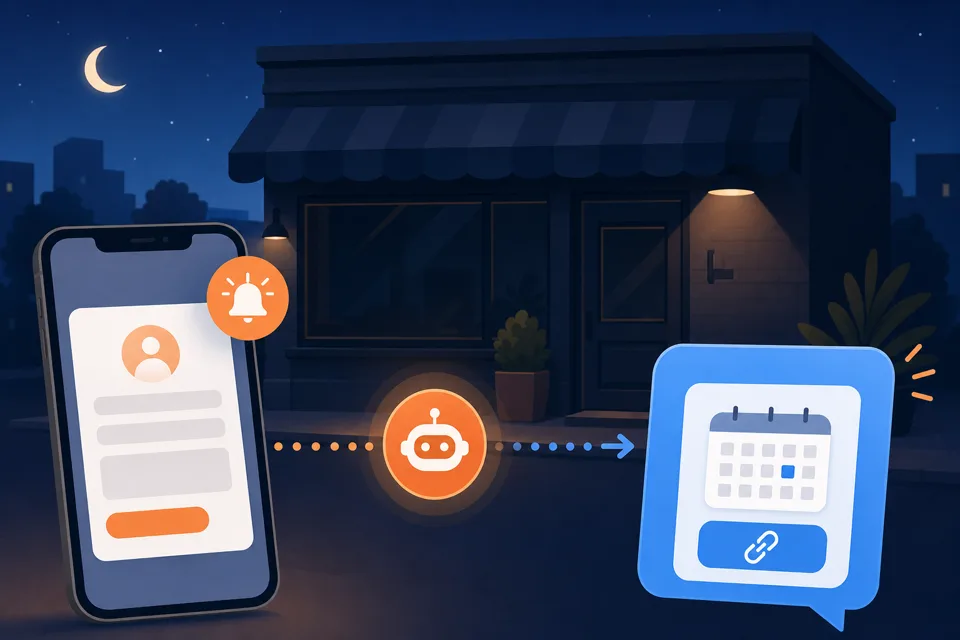
What happens to leads after you close
Leads do not respect your hours. They submit contact forms at 9pm, call while you're on a dinner table, and open your competitor's site in the next tab before they finish typing. If the first response waits until "I'll check email at 9am," you've already lost — not because your service is worse, but because someone else answered while the intent was hot.
The pattern we see on local service accounts: after-hours form fills and missed calls sit unread overnight, the lead comparison-shops three businesses, and whoever replied first frames the quote. By morning your unread notification is a cold lead who already booked elsewhere. Industry averages put median business reply times at many hours — buyers expect a response in minutes. That gap is the whole problem.
During business hours, fix speed-to-lead first — same urgency, different trigger. After close, you need a system that holds the conversation until a human can take over or books straight into your calendar when the request is simple.
The minimum viable after-hours response
You do not need Conversation AI, Voice AI, or a custom chatbot on day one. The smallest setup that stops the leak:
- Instant SMS within 60 seconds. "Got your message — we're closed but saw your request. Quick question so we can quote you right: [one qualifying question]." Questions get replies; "we'll call you tomorrow" does not.
- Booking link in the same thread. "Want to grab a time? [calendar link]." Many after-hours leads self-schedule with zero human involvement — that's a win, not a shortcut.
- Next-morning task for your team. If nobody replies or books overnight, the workflow creates a task and pings whoever answers phones so a human calls by mid-morning.
- Stop when a human takes over. Reply received or meeting booked ends the sequence — nothing feels robotic if it stops the moment you're in the conversation.
That recipe is the after-hours version of the four-step speed-to-lead automation. Same platform, same afternoon of setup — just gated to evenings and weekends with a different opening line.
Build after-hours response in GoHighLevel
We build on GoHighLevel because SMS, workflows, chat widget, calendar, and unified inbox live on the $97/month plan — but the pattern works in any platform from our reviews.
Path A — form and chat after hours
- Create an "after hours" workflow. Trigger: form submission, funnel step, or inbound web chat message. Condition: current time is outside your business hours (GHL has a business-hours filter — set your open days and times once).
- Send the instant SMS. Use the contact's mobile from the form; fall back to email if no phone. Keep it under 160 characters for one segment when possible.
- Wait for reply or booking. If they text back, route to the inbox and notify on-call staff. If they book, send confirmation and SMS reminders protect the slot.
- Task at 8am if still silent. "After-hours lead — no reply yet" assigned to whoever owns follow-up.
Path B — missed calls after hours
- Trigger on missed call. Same workflow builder, different trigger: call status is "missed" AND outside business hours.
- Text-back SMS. "Sorry we missed you — we're closed but got your call. How can we help, or grab a time here? [booking link]." Full walkthrough in our missed-call text-back guide.
- Quiet hours guardrail. Even after-hours automation should respect local reasonable hours — no texts at 3am unless your trade genuinely runs overnight emergencies.
Both paths share one inbox, one calendar, and one A2P campaign — build them in the same afternoon once brand registration is submitted.
When to add AI (and when not to)
Auto-SMS plus booking handles "I need a quote" and "can I come Thursday?" without AI. Add Conversation AI or Voice AI when:
- After-hours volume is high enough that templated SMS leaves money on the table — multiple back-and-forth messages before booking.
- Callers hit voicemail at night and text-back alone doesn't win them back.
- Your calendar, services, and pricing in GHL are already correct — AI will confidently double-book or quote wrong numbers if the foundation is wrong.
Skip AI if you get fewer than a handful of after-hours leads a month, if every message must be bespoke (high-trust consults), or if nobody monitors the inbox — a bot that never hands off to a human hurts trust more than a simple auto-reply. Start with suggest mode for a week, read what the bot would have sent, then enable after-hours-only replies. Our AI guide covers Conversation AI vs Voice AI costs and the order of operations.
A2P for after-hours SMS
If your after-hours reply goes out by text to US mobile numbers, carriers require A2P 10DLC registration before business SMS delivers reliably. Unregistered numbers often work in testing then get filtered in production — the classic "it worked on my phone, customers stopped getting texts in week two" failure.
Register brand and campaign before you turn after-hours workflows live; approval takes a few business days. Use a campaign description that matches what you actually send — "After-hours lead acknowledgment and appointment scheduling for customers who submitted a form or missed a call." Include opt-out language in every sample message. Full walkthrough: A2P 10DLC registration guide.
Real cost
Pricing checked July 2026 on GoHighLevel's Starter plan and LC Phone usage.
- Platform: $97/month — workflows, SMS, chat widget, calendar, inbox included.
- SMS usage: ~$0.0083 per segment. Ten after-hours auto-replies a week is well under a dollar in message fees.
- Local number: ~$1.15/month per tracking line.
- A2P 10DLC: roughly $15–$30 one-time for brand + campaign registration before production SMS is safe.
- AI add-ons (optional): Conversation AI and Voice AI are extra on top of the plan — see the AI guide for current add-on pricing. Not required for the minimum viable setup.
Standalone "after-hours answering" services charge $99–$299/month for behavior GHL includes in the base plan. The math only fails if you never monitor replies — then you're paying for automation that annoys people instead of booking them.
When a simple voicemail greeting is enough
Voicemail is not dead — it's just a weak default for urgent local service leads. Keep it simple when:
- Volume is tiny. Fewer than ~5 after-hours contacts a month — a personal callback next morning may beat the compliance and setup overhead of SMS.
- Every lead is bespoke. Complex consults where templated text feels wrong; use a next-morning task instead of auto-SMS.
- You cannot monitor replies. Auto-SMS without someone reading responses is worse than silence. Fix staffing before automation.
- Your trade is truly phone-first and low urgency. Some B2B niches still leave voicemail — know your customers.
Even then, a clear voicemail ("We close at 6 — leave a message and we'll call before 10am, or text us at [number]") beats a generic carrier default. If callers don't leave messages, that's your signal to add text-back instead.
Common questions
What is after-hours lead response for a small business?
It is an automated first reply — usually SMS or chat — that fires when a lead contacts you outside business hours. The message confirms you got their request, sets expectations on when a human will follow up, and often includes a booking link so they can self-schedule before morning.
Do I need AI to handle after-hours leads?
No. Most local service businesses get 80% of the value from instant auto-SMS plus a calendar link — the same pattern as speed-to-lead, just gated to after-hours. Add Conversation AI or Voice AI only when volume justifies it and your calendar, pricing, and handoff rules are already correct.
How much does after-hours SMS automation cost?
On GoHighLevel the workflow is included in the $97/month Starter plan. Usage adds roughly $0.0083 per SMS segment and about $1.15/month per local number. A2P 10DLC brand and campaign registration is a one-time ~$15–$30 before texts deliver reliably in the US.
How fast should I respond to after-hours leads?
Within one minute for the automated reply — while the lead is still on their phone. Human follow-up can wait until the next business morning for non-urgent requests, but the instant acknowledgment is what stops them from calling your competitor first.
When is a simple voicemail greeting enough?
When your phone rarely rings after close, when every lead is high-touch and bespoke, or when you get fewer than a handful of after-hours contacts a month. Voicemail also works if you truly cannot monitor SMS replies — a bot that never hands off hurts trust more than silence.
Stop losing after-hours leads by morning
Do it yourself: start a GoHighLevel 14-day trial, submit A2P brand + campaign on day one, build the after-hours form and missed-call paths above, and test with a real form fill at 9pm before you promise customers instant replies.
Have us do it: after-hours SMS, text-back, and optional AI routing are part of every done-for-you GoHighLevel setup — wired to your real pipeline, business hours, and calendar, tested with live submissions.
Get the GHL Setup Checklist — free
The exact checklist we run for paying setup clients: 27 steps from empty account to booked appointments, including the A2P compliance items everyone forgets. Drop your email and read it right away.
No spam, no sequence-of-doom. We only email when we publish something worth your time. Privacy policy.