Website form leads not responding? Fix the follow-up before you blame the ads
Answer first: when form fills go silent, the problem is rarely lead quality — it is slow or missing follow-up, forms that never reach your team, and pipeline stages where leads sit unassigned. Fix it with an instant auto-reply in the first minute, a speed-to-lead workflow, and CRM hygiene so every submission gets a human task.
They filled out your form — then they vanished
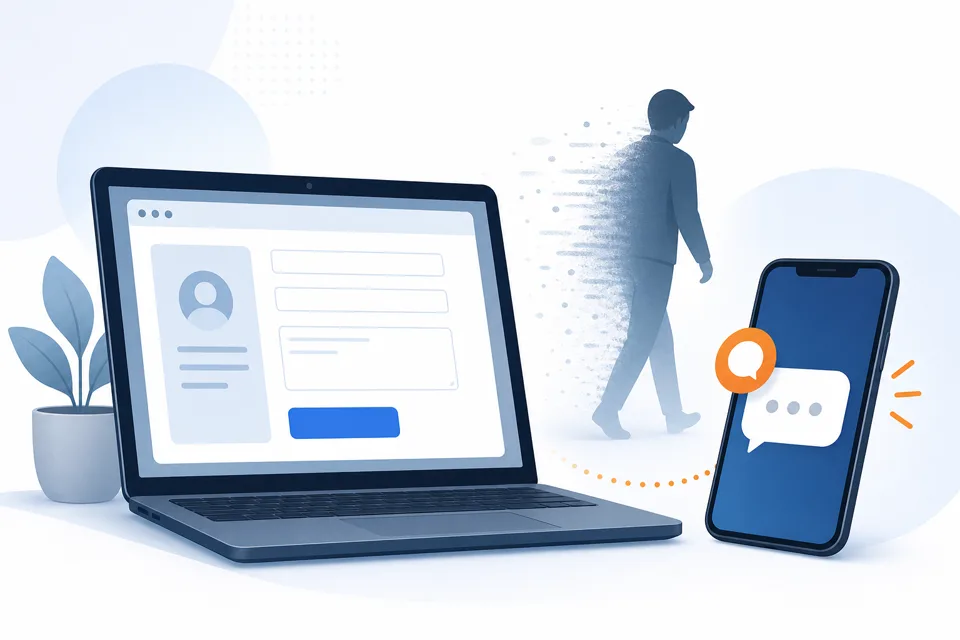
The complaint shows up in every owner forum: "Leads fill in the form but don't reply to our follow-up email." The instinct is to blame the ad, the audience, or "bad leads." Usually the lead was real — they were on your site, typed their number, and hit submit while they still cared. Then they opened your competitor's tab and waited. Whoever answered first got the job; your email arrived tomorrow in a promotions folder.
Independent research on website contact forms found that more than 40% of leads never receive a reply and the average first response time exceeds 17 hours. That is not a marketing problem. It is an operations problem — and it is fixable without spending another dollar on ads.
Four reasons form leads stop responding
Before you rebuild your funnel, rule out the failures that look like "ghosting" but are actually broken plumbing:
- Nobody saw the submission. Form notifications go to an inbox nobody monitors, a spam folder, or a CRM integration that silently broke when you changed the website theme. HubSpot and WordPress forums are full of "forms stopped working" threads that turned out to be a webhook or plugin — not lead quality.
- Your reply was too slow. The five-minute window is real — we cover the research and revenue math in our speed-to-lead guide. An hour later, the lead is mentally done shopping.
- Your reply was too generic. "Thanks for contacting us, we'll be in touch" is a dead end. Leads reply to questions, not acknowledgments.
- Your follow-up channel was wrong. Email-only follow-up to someone who gave you a mobile number misses how local-service buyers actually communicate. SMS gets read; email waits.
If you are not sure which bucket you are in, run three test submissions this week — one from your phone, one from a colleague's, one after hours — and time how long until a human would realistically call back. That number is your baseline.
Instant auto-reply: win the first sixty seconds
An instant auto-reply is not a marketing trick — it is proof-of-life. For the trigger wiring, sample SMS copy, and A2P checklist, see our automated text on form submit guide. The moment the form submits, the lead should get:
- SMS (if they gave a mobile number): "Hi [name], got your request for [service] — quick question so I can quote you right: [one qualifying question]?"
- Email in parallel with the same tone and question — some leads prefer email; SMS catches the ones still on their phone.
The message must do three things: confirm you received it, name the business, and ask something easy to answer. "What day works best?" beats "Tell us about your project." Questions start conversations; thank-you notes do not.
This is step one of speed-to-lead — not the whole system, but the piece most owners skip because they assume a form notification email is enough. It is not.
Speed-to-lead: what happens after the auto-reply
Auto-reply alone leaves money on the table if nobody picks up when the lead answers "Thursday works." Speed-to-lead is the full loop:
- Instant SMS + email with one qualifying question (above).
- Booking link on engagement. When they reply, offer your calendar: "Want to grab 15 minutes? [link]." Many leads self-schedule with zero human involvement.
- Task + notification if silent in an hour. The automation covers the first minute; a human still needs to call. Create a task assigned to whoever answers phones, with a push notification.
- Stop conditions. Reply received or meeting booked ends the sequence — nothing feels robotic if it stops the moment a human takes over.
We run this recipe on GoHighLevel because forms, SMS, email, pipelines, tasks, and booking calendars share one $97/month plan — the same stack as missed-call text-back. The pattern works in any CRM from our reviews, but the wiring details below are GHL-specific because that is what we test on live accounts.
For the ROI side — what slow response actually costs in jobs lost — use the calculator on our speed-to-lead automation solution page before you prioritize another ad campaign.
Pipeline hygiene: where leads die after the form
Even perfect auto-replies fail if the CRM behind the form is a junk drawer. Pipeline hygiene means every submission becomes a trackable opportunity with an owner and a deadline — not a row in a spreadsheet nobody opens.
- One pipeline, one "new lead" stage. Every form — website, Facebook, Google — lands in the same pipeline stage so nothing hides in a silo.
- Assign an owner on create. Unassigned leads rot. Round-robin to your sales rep or default to the owner with a due task in one hour.
- Tag the source. "Website — contact form" vs "Website — quote calculator" tells you which page converts, not just which ads click.
- Dedupe by phone and email. Repeat submissions should update the existing contact, not spawn duplicates that each get a separate auto-reply.
- Weekly stale-stage review. Anything sitting in "new lead" or "contacted once" for more than seven days needs a close-lost decision or a second-channel attempt — not indefinite limbo.
Owners who say "leads don't respond" often discover half their pipeline was never assigned, or the same person submitted three times and got three conflicting auto-sequences. Hygiene is boring; it is also where hidden revenue lives.
Build form follow-up in GoHighLevel (step-by-step)
- Connect the form. Use a GHL form or funnel, or integrate your WordPress / Webflow form so submissions create or update a contact — verify with a live test fill.
- Register A2P 10DLC first. Submit brand and campaign before you send production SMS; approval takes a few business days. See our A2P guide for sample messages that pass carrier review.
- Create the workflow. Trigger: form submitted (or tag "new-web-lead"). Actions: send SMS, send email, move to pipeline stage "new lead," create task due in 1 hour, notify assigned user.
- Write the first SMS. Under 320 characters, business name, one question, opt-out line if your campaign samples require it: "Reply STOP to opt out."
- Add the booking branch. If contact replies or clicks a link, send calendar URL; if appointment booked, stop workflow and trigger SMS reminders.
- Test after hours. Submit at 9pm; confirm SMS, email, task, and notification all fire while you are offline.
What it costs (honest numbers)
Pricing checked July 2026 on GoHighLevel Starter.
- Platform: $97/month — workflow, forms, SMS, email, pipeline, tasks included.
- SMS usage: ~$0.0083 per segment after A2P approval; a two-message sequence on 100 leads/month is a few dollars.
- A2P registration: roughly $15–$30 one-time for brand + campaign on most providers — not optional for US SMS.
- Time: an afternoon to wire and test, plus a few days waiting on carrier approval if you start A2P the same day.
Standalone "instant lead response" tools charge $100–$300/month for the same trigger-and-reply behavior with fewer surrounding features. If you already need booking, reminders, or review requests, one platform beats stacking point solutions.
When not to automate form follow-up
Skip instant SMS if you get fewer than ~10 form leads a month — a personal call within an hour may be enough. Do not automate if nobody monitors replies; a bot that never hands off hurts trust faster than silence. High-trust consults where every word must be bespoke should use email-only auto-acknowledgment plus a same-day task, not templated SMS. And if your form itself asks too much too soon — twelve fields before a quote — fix the form before you automate follow-up on tire-kickers.
Common questions
Why do website form leads stop responding after they submit?
Usually because your first reply arrived too late, landed in spam, or never arrived at all. Leads comparison-shop the moment they submit — whoever responds first wins the conversation. Research on contact-form follow-up found more than 40% of leads never get a reply and average first response times exceed 17 hours.
Should I send an instant auto-reply when someone fills out my form?
Yes — an instant SMS and email within 60 seconds confirms you received the request and asks one qualifying question while the lead is still on their phone. Generic "we got your message" emails rarely get replies; a short text with a question does. Pair it with a human task if they do not answer within an hour.
What is speed-to-lead and how is it different from an auto-reply?
Speed-to-lead is the full system: instant multi-channel reply, booking link on engagement, staff notification if silent, and stop rules when a human takes over. An auto-reply is one piece of that stack. See our speed-to-lead guide for the four-step recipe and the solution page for ROI math.
How do I keep form leads from getting lost in my CRM?
Pipeline hygiene: every form creates a contact in one pipeline with a "new lead" stage, an owner assigned, and a due task with a deadline. Tag the lead source, dedupe by phone/email, and review stale stages weekly. Leads die in "unassigned" buckets and duplicate records more often than owners realize.
Does instant SMS follow-up require A2P 10DLC registration?
In the US, yes — carriers require A2P brand and campaign registration before business SMS on a local number delivers reliably. Unregistered numbers often work in testing then get filtered in production. Register before you turn on form-triggered texts; our A2P registration guide covers the step-by-step.
Stop losing form fills to slow follow-up
Do it yourself: start a GoHighLevel trial, submit A2P on day one, and wire the four-step speed-to-lead recipe to your live form — the solution page calculator shows what slow response is costing you.
Have us do it: instant form reply, pipeline stages, task routing, and A2P testing are part of every done-for-you GoHighLevel setup — we test with real form fills before you turn ads back on.
Get the GHL Setup Checklist — free
The exact checklist we run for paying setup clients: 27 steps from empty account to booked appointments, including the A2P compliance items everyone forgets. Drop your email and read it right away.
No spam, no sequence-of-doom. We only email when we publish something worth your time. Privacy policy.