Solution · Google review requests
Your review count stalls because the ask never happens
The job finishes, your team moves on, and the customer forgets. Meanwhile a competitor with twice your reviews shows up first on Google Maps — and wins the call you never got. Review request automation sends one text with a direct Google link right after each job, plus a single follow-up if they forget. The loop runs every time, without awkward in-person begging.
Two touches per customer. Excludes unhappy clients. Works while you sleep.
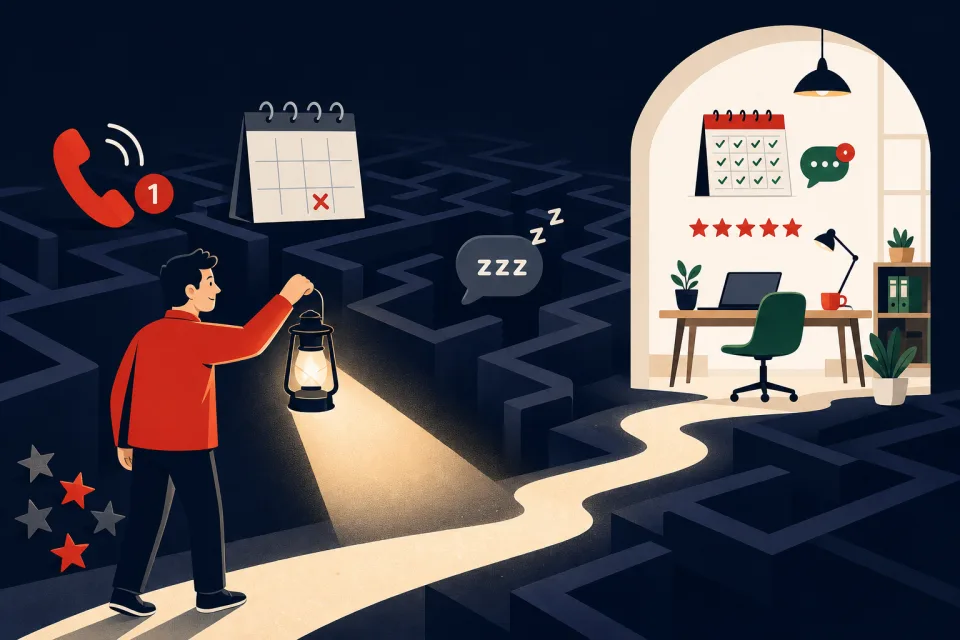
What stalled reviews cost you in local visibility
Google Maps ranking is not magic — it favors businesses with more recent reviews than nearby competitors. When your count flatlines, you disappear from the local pack even if your work is better.
The leak
Most local service businesses stall at 10–20 reviews while a competitor in the same zip code sits at 80+. Map-pack clicks go to whoever looks busiest and most current — not whoever does the best work.
You lose calls you never know about: searchers tap the listing with more stars and fresher reviews, never scroll to page two, and never tell you they looked.
The fix compounds
Across accounts we configure, roughly 15–35% of customers asked leave a review when the ask goes out within 24 hours and the link works on mobile. Ten new reviews a month changes how you look next to a competitor stuck at twelve total.
One saved map-pack click often pays for a month of tooling — the automation costs less than a single job you never booked because someone picked the better-reviewed listing.
Want the full timing, link, and follow-up playbook? Read our how-to guide — this page is the cost-and-fit view before you build.
What a good review automation includes
Not a blast to your whole contact list — one workflow that fires after each completed job. Five pieces, in order.
Trigger on job complete
Pipeline stage moved to "Job complete," appointment marked "Showed," or a tag applied when your team finishes — not a calendar date weeks later when the customer has moved on.
First ask within 24 hours
Short SMS with their name and a direct Google review link that opens the form on mobile. One question, one link — not "search for us on Google."
One reminder, then stop
If no review after 72 hours, a single polite follow-up. Two touches total — more starts to feel like spam and drives opt-outs.
Exclusion rules
Skip contacts tagged "complaint" or in an open-issue pipeline stage. Review automation works when you only ask people you genuinely served well — never auto-text unhappy customers.
Inbox routing
Thank-you replies and questions land in one inbox. Someone responds within a day — a review request followed by silence when they reply hurts trust.
When to keep asking manually (or skip automation)
Review automation pays off when you complete enough jobs that manual asking falls through the cracks. Here's the honest split.
Worth it if
- You complete 10+ jobs or appointments per month — enough volume that manual asks get forgotten
- Local map-pack visibility drives your leads — plumbers, dentists, salons, contractors, clinics
- You're stuck below competitors on review count — especially when theirs are fresher
- Someone can monitor the inbox daily — replies need a human within 24 hours
Skip it if
- Very low volume (under ~10 jobs/month) — a personal in-person ask may feel more genuine
- You cannot monitor replies — automation without response hurts trust
- High complaint rate without tagging — fix service quality and tagging before you automate asks
- SMS compliance is not worth the setup — email-only requests still work, just at lower tap rates
We run this workflow on live accounts — it's the reputation piece we cite in our GoHighLevel review as one of the fastest local-SEO wins in the platform.
Build this in GoHighLevel
We test on GoHighLevel because reputation tools, SMS, workflows, and the unified inbox are one subscription — the same stack we use for missed-call text-back. Condensed build; the full guide has every click.
- Connect Google Business Profile. In the sub-account, link your location under Reputation / Settings so the platform knows which listing to request reviews for.
- Generate your review link. Use the built-in review-link tool — one URL that opens the Google review form. Test it on your own phone before you automate anything.
- Create the workflow trigger. Pipeline stage "Job complete," appointment status "Showed," or tag "ready-for-review" — pick the signal that means the job is truly done.
- Send the first SMS. Short, named, one link. Example: "Hi [name], thanks for choosing [business] — would you share a quick Google review? [link]"
- Wait 72 hours, one reminder. Single follow-up if no review. Two touches total.
- Register A2P 10DLC before you go live. US carriers require brand and campaign registration for business SMS. Unregistered numbers often work in testing then get filtered in production — budget a few business days for approval. Start registration on day one of your trial; email-only requests can go live sooner if you need reviews before SMS is approved.
- Route replies to the inbox and add exclusion filters for "complaint" tags or open-issue pipeline stages.
Real pricing — platform fee plus SMS usage
Competitor pages quote "affordable" without line items. Here are the numbers we see on live accounts.
GoHighLevel (what we build on)
- $97/month Starter plan — review workflows, reputation tools, SMS, and CRM included; no separate reputation SaaS fee
- ~$0.0083 per SMS segment — first ask + one reminder ≈ two segments per customer (~$0.017 per job)
- 50 jobs/month ≈ $0.85 in SMS usage on top of the plan
- Email requests — negligible at small scale if you skip SMS
If you already pay for GHL for booking and CRM, review automation is incremental cents — see full plan math in our GoHighLevel review.
Standalone reputation tools
- $50–$150/month for SMS review nudges alone (Podium, BirdEye, NiceJob tier)
- Often a separate subscription on top of your CRM and booking stack
- Same two-touch behavior — fewer workflow options and no unified inbox with lead follow-up
Worth comparing if you want zero platform learning curve and will never use CRM or booking features. For most local services already consolidating tools, GHL wins on total cost.
Two ways to have review requests going out by next week
Same result — a two-touch ask after every completed job. Pick by how much of your own time you want to spend.
Do it yourself
Start a GoHighLevel 14-day trial ($97/month after), connect your Google Business Profile, register A2P on day one, and build the workflow — our guide covers every click. Budget an afternoon plus a few days' wait for SMS approval.
Best if you like tinkering, or want the same subscription for booking, pipelines, and lead follow-up anyway.
Have us set it up
We configure everything on your account: GBP connection, A2P compliance registration, review link, two-touch workflow, exclusion rules for complaint tags, and inbox routing — tested with a real send before handover.
Usually part of a full GoHighLevel setup; available standalone if review automation is all you need. Fixed quote either way.
Google review automation, answered
Is it OK to automate Google review requests?
SMS or email for review requests?
What is A2P 10DLC and why does it matter for review texts?
How much does automated review requesting cost?
Can I set this up myself?
Get the GHL Setup Checklist — free
The exact checklist we run for paying setup clients: 27 steps from empty account to booked appointments, including the A2P compliance items everyone forgets. Drop your email and read it right away.
No spam, no sequence-of-doom. We only email when we publish something worth your time. Privacy policy.
Stop losing reviews you already earned
Pick a path and have the two-touch loop live within the week — including A2P compliance.
Try it free for 14 daysPrefer it done for you? Book a free scoping call.